
Repomix
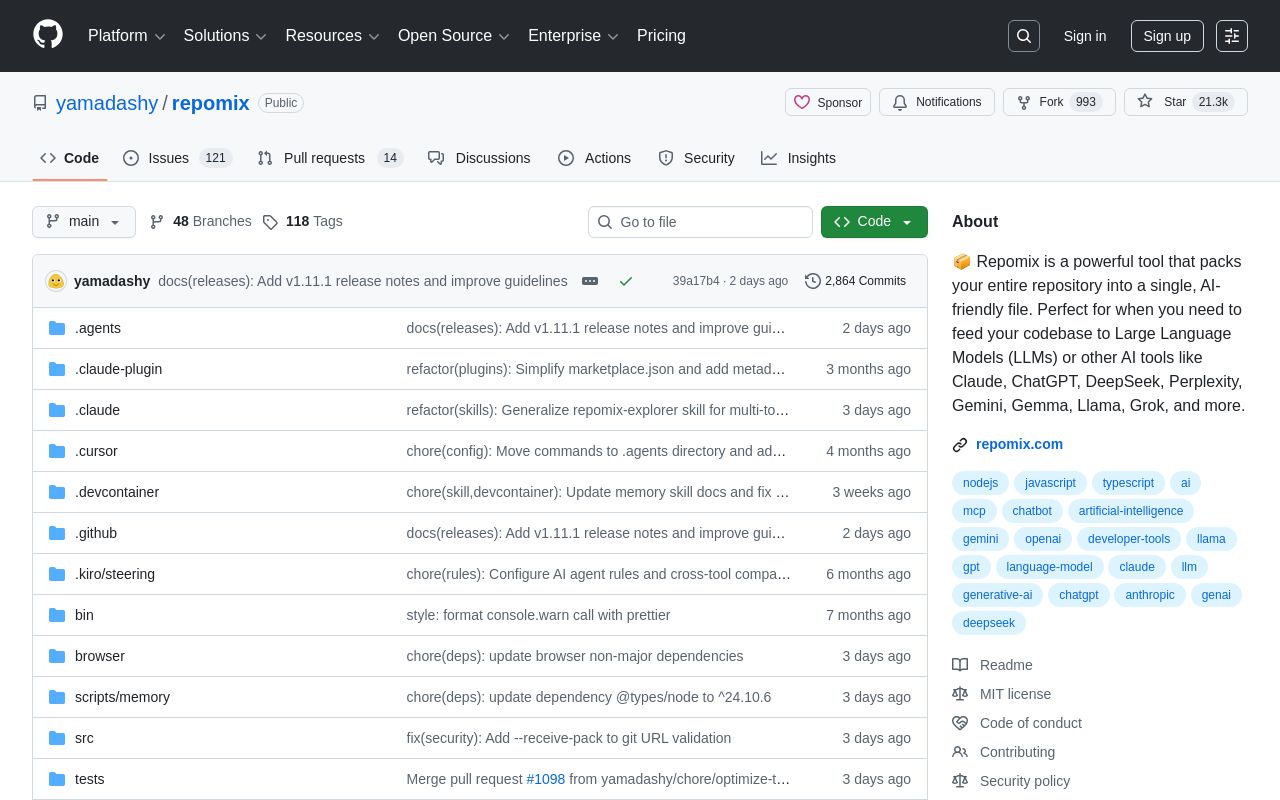
Repomix is a powerful open-source tool that packs an entire code repository into a single AI-friendly file, designed for feeding codebases into large language models (LLMs).
Alternatives
Tech stack
No tech stack added yet. Sign in to suggest some
Repomix: A Complete Introduction
Repomix is a powerful open-source tool that packs an entire code repository into a single AI-friendly file, designed for feeding codebases into large language models (LLMs).
Core Value Proposition
Repomix solves a key problem: developers need to give large codebases efficiently to AI tools such as Claude, ChatGPT and Gemini for code review, documentation generation, test development and more. The traditional approaches are either copy and paste (inefficient) or uploading multiple files (hard to manage). Repomix merges the entire repository into an AI-optimized format with a single command.
Key Features
1. Multiple Output Formats
Repomix supports four output formats to meet different needs:
| Format | Use | Advantages |
|---|---|---|
| XML (default) | AI processing | Clear structure; XML tags help Claude parse the content more accurately |
| Markdown | Human reading | Highly readable and easy to share |
| JSON | Programmatic processing | Data can be extracted with the jq tool |
| Plain Text | Simple viewing | No formatting noise |
2. Token Counting and Optimization
- Real-time token statistics: Accurately counts the tokens of each file and of the whole repository, so you stay within the LLM's context limit
- Token tree: The
--token-count-treeoption shows the token distribution and helps you identify the largest files - Code compression:
--compressuses Tree-sitter to extract key code structures (function signatures, class definitions, etc.), reducing token usage by about 70%
3. Security and Filtering
- Git-aware: Automatically respects the rules in
.gitignore,.ignoreand.repomixignorefiles - Security scanning: Integrates Secretlint to detect sensitive information (API keys, passwords, etc.) and prevent accidental leaks
- Flexible exclusion: Supports glob patterns for precise control over which files are included or excluded
4. Large Repository Support
- Output splitting:
--split-output 1mbautomatically splits large output into multiple files - Remote repository packing: Process GitHub repositories directly without cloning
- Streaming input: The
--stdinoption accepts a list of files through a pipe
Access and Installation
CLI Tool (Recommended)
# Try it quickly (no installation needed)
npx repomix@latest

# Global installation (npm)
npm install -g repomix

# Homebrew installation (macOS/Linux)
brew install repomix

# Docker
docker run -v .:/app -it --rm ghcr.io/yamadashy/repomix
Web Interface
Visit repomix.com to try it quickly in your browser, with no installation required.
Browser and Editor Extensions
- Chrome extension: Adds a one-click Repomix button to GitHub pages
- VSCode extension: Repomix Runner lets you run it directly in the editor
- MCP server: Integrates with AI tools such as Claude Desktop and Cursor
Typical Use Cases
1. Code Review and Refactoring
repomix
# Then upload the output file to an AI and enter a prompt:
# "Please review the overall structure of this codebase and suggest refactoring opportunities"
2. Automated Documentation Generation
# AI can generate detailed READMEs, architecture documents, etc. based on the complete codebase
3. Test Case Generation
# By analyzing the code structure, AI can generate comprehensive unit tests (including edge cases)
4. Quick Library Overview
repomix --remote facebook/react --compress
# Quickly get a grasp of the core architecture of any open-source project
5. Code Quality Assessment
# Check whether the code follows best practices, and assess readability, performance, etc.
Advanced Features
AI Tool Integration
MCP server (Model Context Protocol): Lets AI assistants interact directly with the codebase
repomix --mcp
# Configure it in Claude Desktop, Cursor, VS Code, etc.
Official Claude plugins:
repomix-mcp: The MCP server foundationrepomix-commands: Slash commands for quick actionsrepomix-explorer: AI-powered repository analysis
Agent Skills generation: Create reusable codebase references for Claude
repomix --skill-generate my-project-reference
Git History Integration
# Include the Git log (50 entries by default)
repomix --include-logs

# Include code changes (diff)
repomix --include-diffs
This helps AI understand how the code has evolved and the development patterns behind it.
Configuration File Support
Repomix supports flexible configuration file formats (in order of priority):
- TypeScript:
repomix.config.ts(best experience, full type checking) - JavaScript:
repomix.config.js(supports dynamic values) - JSON:
repomix.config.json(simplest)
You can quickly create a configuration file with repomix --init.
Community and Support
- Official website: repomix.com
- Discord community: Share experiences, get help and discuss new features
- Open-source award: Nominated in the "Powered by AI" category of the JSNation Open Source Awards 2025
For Python Users
Repomix is mainly optimized for JavaScript/TypeScript projects. Python users may want to consider Gitingest, which is better suited to the Python ecosystem and data science workflows.
Overall assessment: Repomix is an essential tool for developers collaborating with AI. Through its highly optimized packing approach, precise token counting and multi-layered security checks, it makes feeding complex codebases into an LLM simple and efficient. Whether for a quick code review or large-scale project analysis, Repomix can significantly improve your workflow efficiency.
Discover more
ShipAny
ShipAny is an AI-powered shipping platform that optimizes logistics, reduces costs, and provides real-time visibility for businesses of all sizes.
Amp
Amp is a coding agent and development environment built for frontier models. It can run unattended on remote orb machines in the cloud, or locally on your own machine through the CLI.

Codex
A software development tool from OpenAI.
HAJIMI Gemini API Proxy
HAJIMI Gemini API Proxy is a lightweight proxy server that makes it easier and more flexible to access the Google Gemini API, with features such as authentication and rate limiting.

HexHub
HexHub is an all-in-one development and operations toolkit built for programmers and ops engineers
Kilo Code
Kilo Code is an open-source AI coding agent that works in VS Code, JetBrains, the command line, a desktop app and the cloud. It supports 500+ models, bills at cost with no markup, and also lets you use your own keys or local models.