
Aside
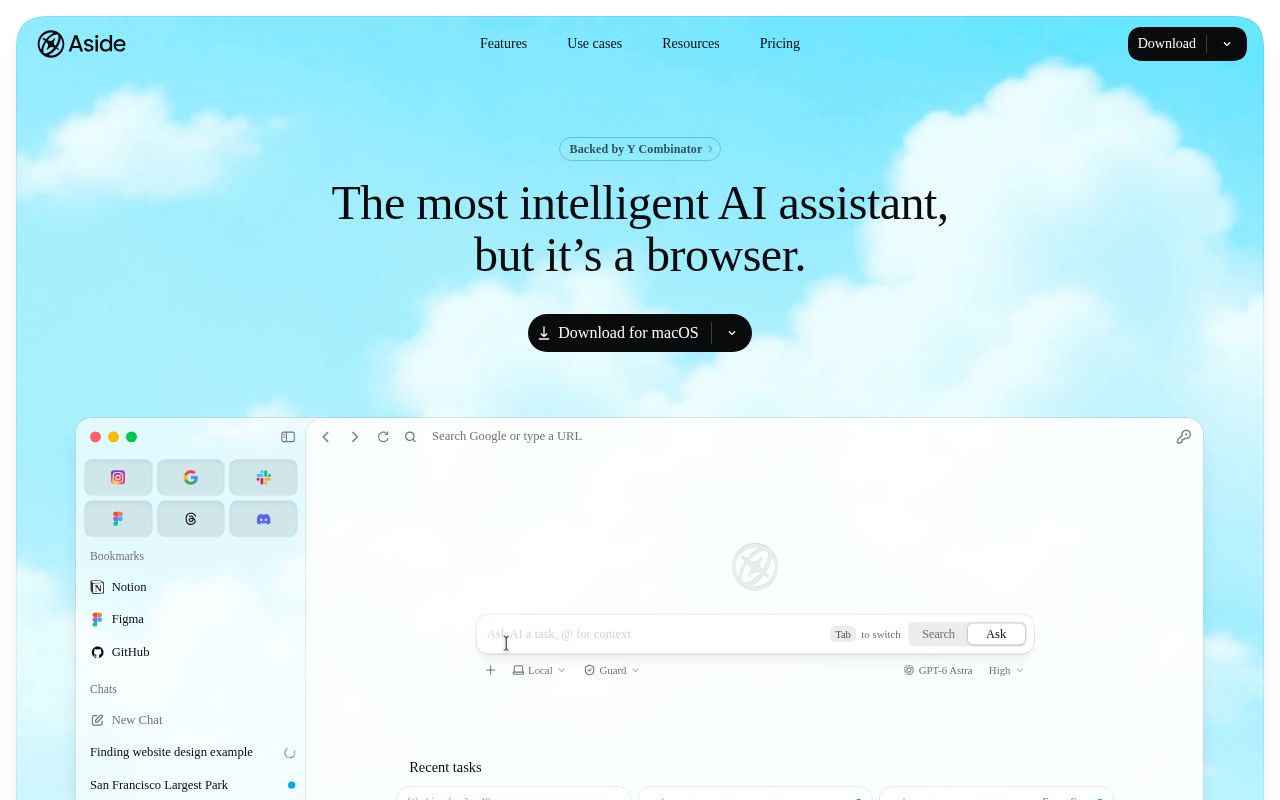
Aside is a browser redesigned for both people and AI agents. It works directly with the websites and accounts you're already logged into, handling complex browser tasks for you such as messaging, payments, and internal tool operations.
Alternatives
Tech stack
No tech stack added yet. Sign in to suggest some
Aside is developed by Aside Computer Inc. and is backed by Y Combinator. Its website positions it as an "AI assistant in the form of a browser." Rather than relying on app integrations, it works the way you would, operating directly inside the websites and accounts you're already logged into.
Key Features
- Browser agent: Can do whatever you do in the browser, including handling email, dashboards, and internal tools, replying to comments and following up on messages, and working with documents and spreadsheets. The website says it can also work directly with files on your computer.
- Memory: Turns your browsing history into memory, so the AI knows which websites to use for a given kind of work and you don't have to explain the background every time. The website says all memory is stored only on your local device and is never shared with anyone.
- Aside Vault password manager: The website calls it the first password manager designed for agents. Agents log in through autofill, so credentials are never exposed to the AI. The website also mentions hardware-backed end-to-end encryption (protected by the Secure Enclave), access scoped to each task, and an audit log of every credential use.
- Human confirmation: Sensitive actions such as payments, posting, and sending messages wait for your confirmation before they run.
- Scheduled and background tasks: The interface includes agent tabs, a list of recent tasks, and tasks that run on a daily schedule (such as a daily briefing).
- Bring your own model subscription: You can use your own ChatGPT or Claude subscription, or enter your own API key.
Target Users and Use Cases
The website's use cases page is aimed at operations, recruiting, sales, developers, and researchers. It suits people who repeatedly work across multiple websites and back-office systems and want to hand those workflows off to an AI.
Core Strengths
- Works directly with websites and accounts, so it isn't limited by whether an integration exists.
- The website claims it ranks first on three browser agent benchmarks: Online-Mind2Web, BU-Bench-V1, and Odysseys (these are self-reported figures; see the SOTA page on the website for details).
- Local-first: tasks, memory, and data are stored on your device by default, and the website says they are not shared with LLM providers. It also says Aside uses a sandbox to isolate file system and network access.
How to Get It
Download the client from the website to install and use it. For pricing, supported operating systems, and other specifics, see the website's download and pricing pages.
Discover more
BrowserOS neo
BrowserOS neo (formerly BrowserClaw) is an open-source browser that runs locally and is built for AI agents such as Claude Code, Cowork, Codex and Cursor to drive over MCP, using the accounts you're already logged in to. You can watch every step the agent takes in real time and replay the whole session afterward.
Ego lite Browser
ego lite is a browser shared by users and AI agents. Agents such as Claude Code and Codex run web automation tasks in separate Spaces, so they never take over your own tabs, and they can reuse the logged-in state of your browser.

Bitwarden
An open-source, end-to-end encrypted password manager that offers a complete password management solution

Dia
Dia Browser is a modern Chromium-based browser developed by The Browser Company of New York. Beyond regular web browsing, it includes a powerful built-in AI chat assistant (also called Dia) that can help you find information, answer questions, work with files, and more.

Vaultwarden
An unofficial, lightweight alternative server for the Bitwarden password manager
ClickUp
ClickUp is a collaboration platform that brings project management, docs, chat, whiteboards, time tracking and an AI assistant (Brain) together in a single workspace, with the goal of replacing a scattered set of tools. Its website says it offers a free-forever plan and supports AI Agents that handle tasks automatically.