
Otty
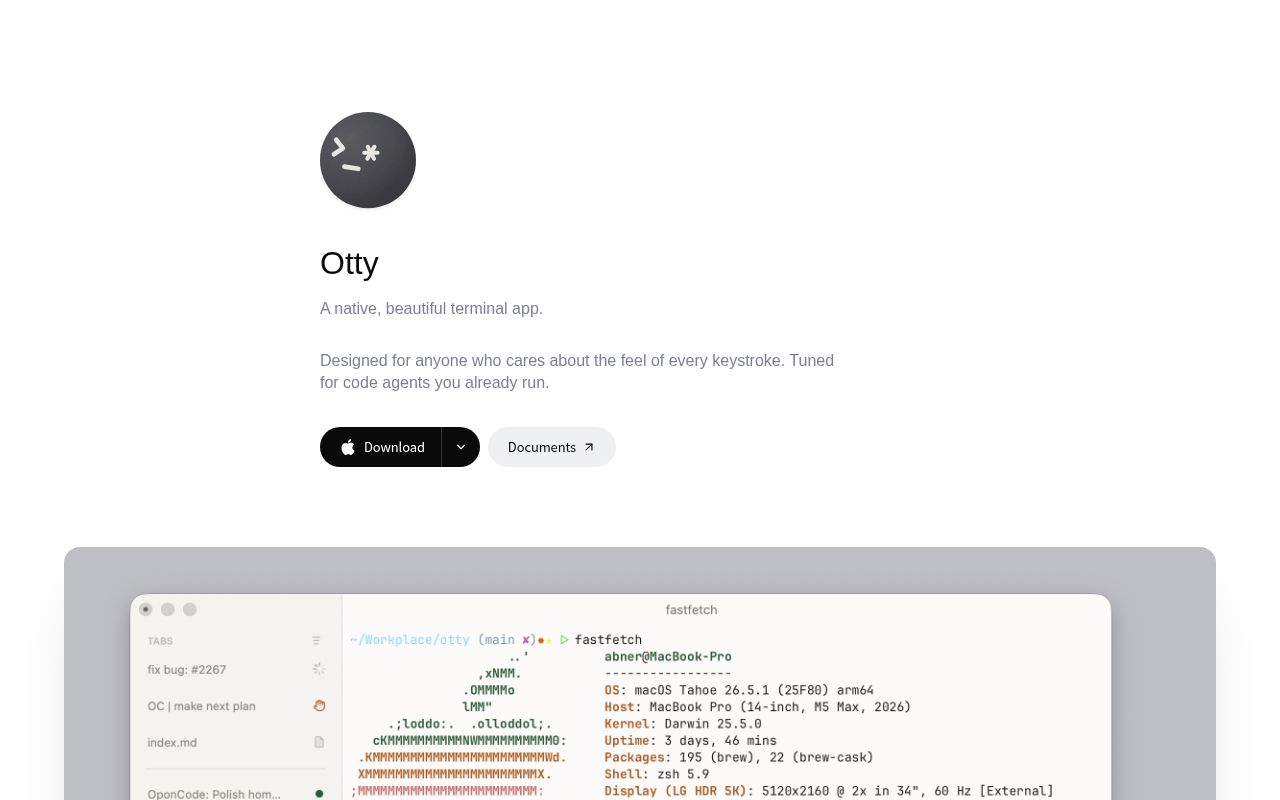
Otty is a native, GPU-accelerated terminal emulator built around a clean, keyboard-first interface and smooth typing. It also gives code agents running in the terminal parallel task monitoring, session history, and a prompt queue.
Alternatives
Tech stack
No tech stack added yet. Sign in to suggest some
Otty is a native terminal app that, in the official positioning, sits between a traditional terminal and a full agentic development environment (ADE). It keeps a clean, keyboard-first interface without the cluttered panels and buttons of an IDE, while offering workflows commonly used in everyday development.
Key features
- Modern terminal rendering: GPU-accelerated with smooth scrolling. Supports programming ligatures, full Unicode and grapheme clusters, 24-bit true color, and styles such as bold, italic, and underline. Inline images can also be displayed directly in the scrollback buffer.
- Themes: Dark and light themes are available, and the color schemes can be customized.
- Interactive links: Click files, URLs, and paths to jump straight to them.
- Natural text editing: Jump and select by word, just like in an editor.
- Tabs, panes, and splits: Tabs can be arranged vertically or horizontally, with live status badges and unread indicator dots. Split layouts are flexible: drag, snap, and resize them freely.
- Process monitoring and notifications: Track long-running tasks and get notified the moment they finish.
- Session restore: Close your laptop and reopen it, and every pane returns to its previous state.
- Keyboard workflows: Includes a command palette (fuzzy search for any action), inline autocomplete (gray suggestion text as you type), Open Quickly (jump between sessions fast), and custom snippets, commands, and layouts (recipes).
- Features for code agents: Run multiple agents in parallel and track task progress, view session history, fork and branch from any conversation (Fork & Branch), queue prompts to run in order with the Composer and prompt queue, and send any output to an agent conversation (Send to Chat).
Target users and use cases
Suited to developers who care about how typing feels in the terminal and about interface quality, as well as users who often run AI code agents in the terminal and want to manage multiple sessions and tasks at once.
Platforms and availability
- The website offers installers for macOS (Apple Silicon and Intel), as well as beta installers for Windows x64 and x86.
- Windows ARM, Linux, and iOS versions have not been released yet; the website offers a waitlist sign-up.
- The website states that the macOS and Windows versions are free to use and require no account registration.
- The website also has a pricing page and a license agreement; please refer to the official documentation for the specific terms.
Worth noting
- Otty is developed by appmakes.io, and the website provides documentation, a changelog, and articles.
- The website does not state whether it is open source; the software is provided under its license agreement.
Discover more
Ghostty
Ghostty is a fast, feature-rich, cross-platform terminal emulator that uses a platform-native UI and GPU acceleration.
Kitty
kitty is a fast, feature-rich, cross-platform, GPU-rendered terminal emulator for people who spend a lot of time working in the terminal. It comes with tabs, window layouts, remote control and a set of extension utilities (kittens).
BlackHole
BlackHole is a virtual audio loopback driver for macOS that lets apps pass audio directly to other apps with no added latency. It suits streamers, podcasters, online instructors, and anyone else who needs to route audio between apps.
tuios
tuios is a tiling window manager that runs inside your terminal. Sessions keep running in the background after you detach, and a unified Inbox collects everything your coding agents in different panes are waiting on.

ChartDB
A powerful open-source database diagram editor that requires no installation and no database password, letting you visualize your database schema with a single query
DrawDB
A free, simple, and intuitive online database diagram editor and SQL generator