Delta
Delta is a multiplayer, AI-assisted coding environment from the Zed team, currently in Beta. Team members and AI agents build and review code together in shared threads, and every conversation and every code change stays in the same context.
Alternatives
Tech stack
No tech stack added yet. Sign in to suggest some
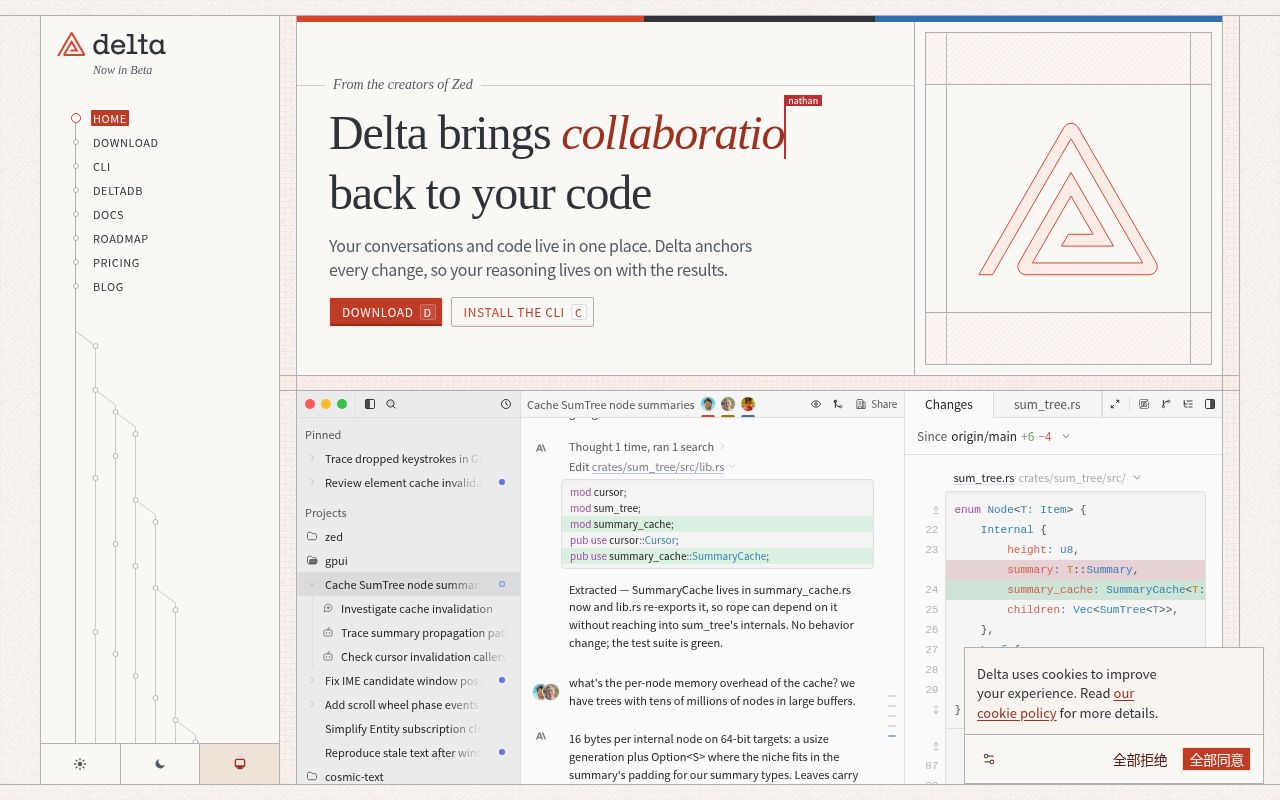
Delta is built by the creators of Zed, and its website describes it as a "multiplayer environment for agentic coding." It puts the development conversation and the code changes in one place, and each change is linked to the conversation that produced it. The reasoning and decisions behind the code are preserved alongside the result instead of being lost.
Key features
- Shared threads: Team members and AI agents can collaborate in the same thread. You can invite teammates into a thread to review, comment and work with the agent in real time.
- Changes linked to conversations: Threads stay connected to every code change, so you can later look back at how the code came to be, including the prompts and decisions behind it.
- In-context review: You can comment on the conversation or on any line of code, and comments stay anchored as the work progresses.
- Continue working anywhere: You can open Delta on desktop or on the web, or switch to a cloud runner. The website says conversations and code stay in sync.
- Delta CLI (Beta): Works with the agents you already use. It currently supports Claude Code, and Pi is marked as "coming soon." Once you share a session, teammates can join it from their own environment.
- DeltaDB: The version control system underlying Delta, which records every edit along with the conversation behind it. A thread shared from Claude Code can be joined in the Delta app, and vice versa.
- Switchable models, tools and runtimes: The website explains that after you change the model (Claude, GPT, Gemini), the tool (Claude Code or the Delta app) or the runtime (local machine or cloud), changes and conversations remain stored in DeltaDB.
- Access control: When sharing a thread, you can set its access scope: invited people only, everyone in your organization, anyone with the link, or invitations by email.
Who it's for and use cases
It suits development teams that already write code with AI agents and want the whole team to be able to view and review what the agents produce. It is also a good fit for individual developers who want to keep context such as "why was the code written this way."
How to use it
- You can download the Delta app from the website (the site shows three forms: desktop, web and mobile), or open it directly in the browser.
- To keep using your existing agent, install the Delta CLI and share sessions through it.
Notes
- The product is still in Beta, so features and supported agents may change.
- For pricing, license and self-hosting options, please refer to the pricing and documentation pages on the website. This entry makes no guesses about them.
Discover more
Google Antigravity
An integrated development environment from Google with added AI support
Grok Build
Grok Build is a terminal coding agent and command-line tool from xAI, currently in beta. It can plan tasks, edit multiple files, and run commands in your terminal to handle complex coding work.
Qwen Code
Qwen Code is a command-line AI coding assistant from the Qwen team (Tongyi Qianwen). In your terminal, you can use natural language to have it understand a codebase, generate and modify code, and carry out development tasks.
92five
Self-hosted project management application.

Aastro
Extensible API Gateway written in Go. Load custom plugins to extend functionality.

Accent
Developer-oriented translation tool.