
Voila
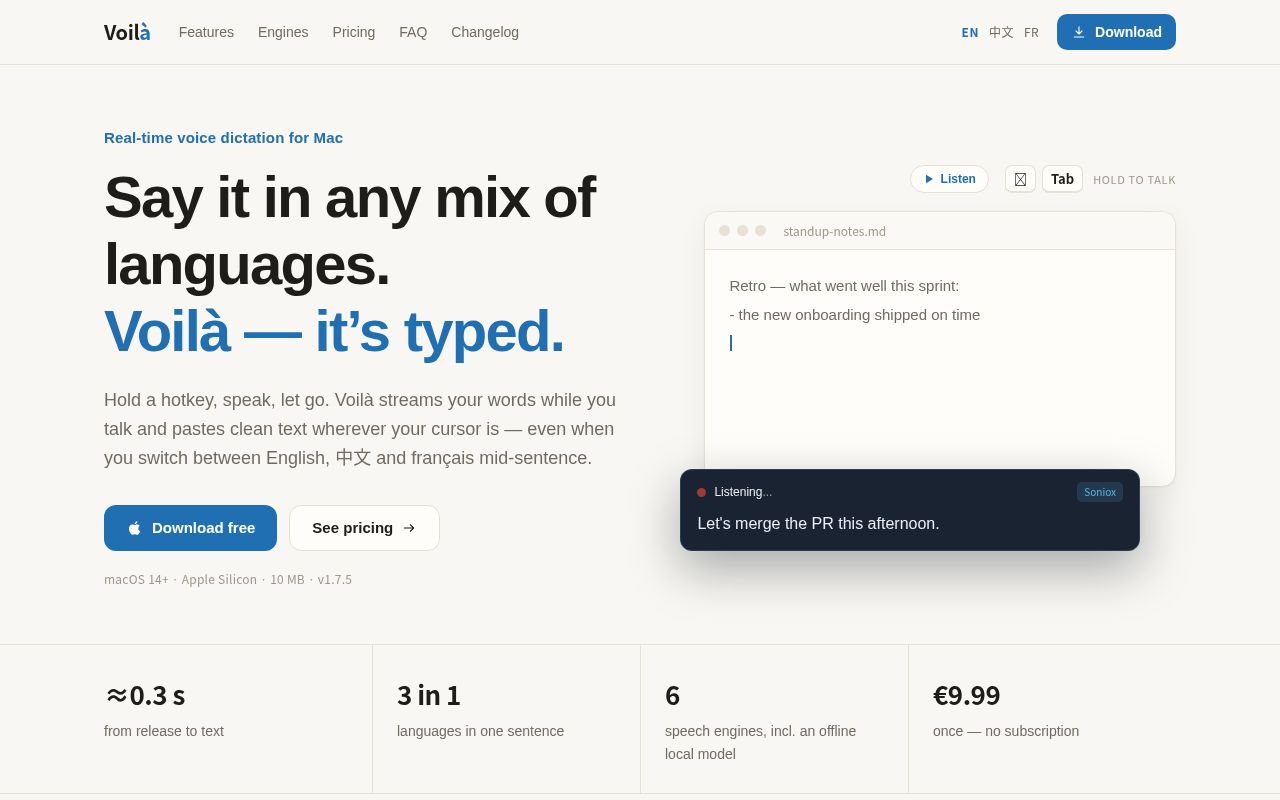
Voilà is a dictation tool that lives in the Mac menu bar. Hold a hotkey and speak, release it, and the text is pasted at your cursor in real time. It handles mixed English, Chinese and French, and can also work offline with its built-in local model.
Alternatives
Tech stack
No tech stack added yet. Sign in to suggest some
Voilà (called Voilà Pro on its website) is made by an independent developer. It is a real-time voice dictation app for macOS. It stays in the menu bar, so you don't need to open a window or create an account. By default, hold ⌥ Tab and speak; when you release the keys, the text is pasted at the current cursor position. The hotkey can be customized.
Key Features
- Mixed-language speech: You can mix English, Chinese and French in a single sentence without choosing a language first. The website says Japanese, Korean and other languages are also supported, depending on the engine you choose.
- Text appears as you speak: While you talk, an overlay shows the recognized text in real time. The website says it takes about 0.3 seconds from release to text appearing.
- Preview and edit before pasting: After you release the hotkey, the text stays in the overlay for 3 seconds before being pasted, and the countdown can be adjusted from 0.5 to 5 seconds. During this time you can paste immediately, edit first, or use "Polish" to remove filler words and tidy up punctuation.
- Pasting into terminals and IDEs: The website says it supports Terminal, iTerm2, Ghostty, Warp, WezTerm, kitty, VS Code, Xcode, and AI coding tools that redraw the screen.
- Clipboard restoration: Pasting temporarily borrows the clipboard, then restores the text or image you had copied before.
- Live captions: Turn foreign-language videos, courses or podcasts into live captions that float above the screen.
- Custom dictionary and corrections: Add names, product names and terminology, and set correction rules so the same mistake doesn't keep recurring.
- Optional AI polishing: Use a language model of your choice to remove filler words and tidy punctuation, or keep your words exactly as spoken.
Six Speech Engines
Switch between them with one click: Voilà local model, Soniox, Apple Speech, ElevenLabs, Groq Whisper, and Volcano Engine (火山引擎).
- The Voilà local model runs entirely on your Mac and works offline. It requires a one-time 2.5 GB download, and the website recommends 16 GB of RAM.
- Apple Speech is on-device recognition. The website says it is private and works offline on macOS 26, while on macOS 14–15 you need to turn on "on-device only." It remains free to use after the trial ends.
- Cloud engines (Soniox, ElevenLabs, Volcano Engine, Groq) require an internet connection and your own API key. You pay the provider directly, and Voilà adds no markup.
Privacy
Audio goes straight from your Mac to the engine you choose, without passing through Voilà's servers, and Voilà does not store your audio. With the local model, audio never leaves your Mac.
Who It's For
- Developers who dictate git commit messages in the terminal or talk to AI coding tools
- Multilingual professionals who often switch between Chinese, English, French and other languages
- People who want to write notes, emails and documents by voice
- Users who want to type less to ease strain on their wrists, or because of limited mobility
- Users who want voice input in chat apps like Slack, WeChat and Telegram
Pricing and Licensing
- One-time purchase, no subscription, offline licensing, and no sign-up or login required.
- 30-day free trial with full features and no credit card needed. After the trial, you can keep using on-device Apple Speech dictation even without buying a license.
- Early-bird license: €9.99. The website says it includes free updates forever, and spots are limited.
- Once the early-bird spots are gone, the Pro license costs €19.99.
- The website also offers a free "hidden license" for contributors, testers and open-source authors; you need to email the author to request it.
Requirements and Installation
- Requires macOS 14 Sonoma or later and Apple Silicon (M1 or newer).
- The installer is about 10 MB, and the website offers a DMG download.
- On first use, you need to grant system permissions such as microphone access.
Things to Note
- The software is not open source. In its comparisons, the website describes open-source dictation tools as "free, but requiring tinkering."
- Mac only, and Apple Silicon only; Intel Macs are not supported.
- The local model requires downloading a 2.5 GB file and also has memory requirements.
- The website states that it is unrelated to other products named "Voila."
Discover more
Superwhisper
Superwhisper is an AI-powered speech-to-text app for macOS and iOS, developed by SuperUltra, Inc. It uses advanced AI to convert speech into highly accurate text in real time, with seamless integration across apps and smart context handling.
VocoType
VocoType is an AI-powered speech-to-text tool. Unlike the Siri or iFLYTEK voice input we're used to, its core philosophy is "Local First." This means all speech processing, recognition, and transcription happen entirely on your own computer, with no internet connection required and no audio data ever uploaded.
voice input
voice input is an open-source speech-to-text tool that can be used completely offline.
西瓜说
西瓜说 (Xiguasay) is a voice input method.

闪电说
闪电说 (Shandianshuo) is a local AI voice input method that is 4 times faster than traditional typing, mainly used for AI conversations, programming, document writing, and chat.

Typeless
Typeless is an AI voice dictation tool that turns natural speech into clear, polished text, 4–6× faster than typing. It runs on desktop (macOS, Windows) and mobile (iOS; Android in development) and works seamlessly in email, chat, code editors and other apps.