
voice input
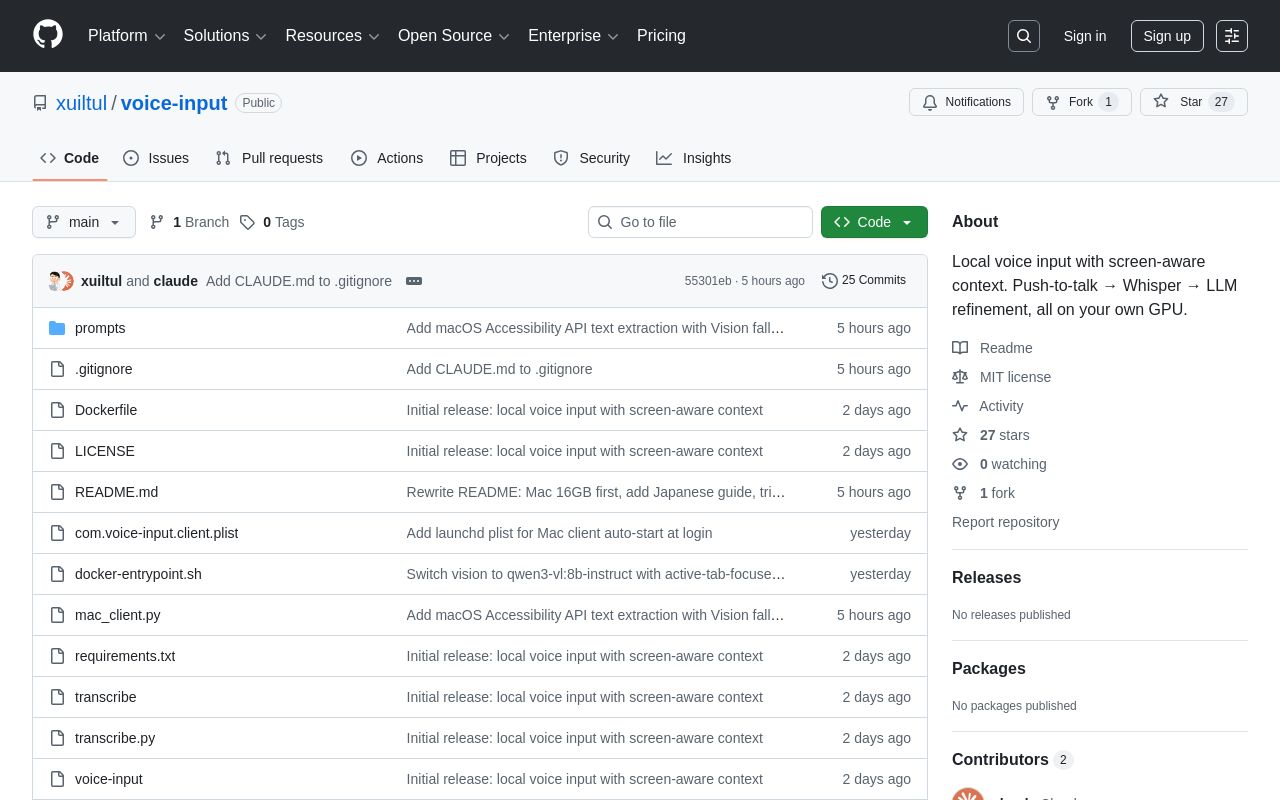
voice input is an open-source speech-to-text tool that can be used completely offline.
Alternatives
Tech stack
No tech stack added yet. Sign in to suggest some
Introduction
voice-input is an open-source, local voice input tool released under the MIT license. It works like this: on a Mac, hold a key to talk (Push-to-talk) → Whisper transcribes → a local LLM cleans up the text → the result is pasted automatically at the current input position. It uses no cloud services at all; recordings and screenshots are processed only on your own machine or your own server.
Key Features
- Push-to-talk: Hold the left Option key to record. When you release it, the audio is transcribed and cleaned up automatically, then pasted and Enter is pressed. If you hold Ctrl at the same time, it only pastes and does not press Enter.
- Real-time streaming transcription: Partial transcription results appear while you are recording.
- Screen context awareness: A screenshot is taken automatically when recording starts and passed to a vision model for analysis. The on-screen content (such as technical terms) is used to improve recognition accuracy. When the analysis is complete, the HUD overlay turns green.
- LLM text cleanup: Removes filler words, adds punctuation, and corrects recognition errors.
- Multilingual: Supports Japanese, English, Chinese, and Korean, with automatic detection. The cleanup prompt for each language is stored in the
prompts/directory in JSON format, and you can add new languages yourself. - Voice input for Claude Code slash commands: Say 「コマンド」 or "command", then say the command name, and the corresponding slash command, such as
/compact, is typed in. Commands are loaded automatically at startup from~/.claude/skills/*/SKILL.md. - HTTP API: Upload WAV audio via
POST /transcribe(port 8990) and get back the cleaned-up text, the raw transcription, the language, and the processing time. Adding theraw=trueparameter transcribes with Whisper only, without cleanup.
Target Users
- Mac users who value privacy and don't want to send their voice or screen content to the cloud
- Developers who frequently work with AI coding assistants (such as Claude Code) or chat tools and want to type more efficiently by voice
- Users who already use Ollama or have local GPU resources
Architecture
| Component | Role |
|---|---|
voice_input.py | Core pipeline: Whisper + Ollama LLM + vision model |
ws_server.py | WebSocket server (port 8991) |
mac_client.py | Push-to-talk client with HUD overlay |
prompts/ | Cleanup prompts for each language |
Whisper automatically detects the device it runs on: it uses float16 when CUDA is available and int8 on CPU.
Installation and Deployment
Standalone Mac (16 GB RAM)
Requires an Apple Silicon Mac, Python 3.11 or later, and Ollama.
git clone https://github.com/xuiltul/voice-input
cd voice-input
python3 -m venv .venv
.venv/bin/pip install -r requirements.txt
ollama pull gemma3:4b
# 终端 1:服务端
WHISPER_MODEL=small LLM_MODEL=gemma3:4b .venv/bin/python ws_server.py
# 终端 2:客户端
.venv/bin/python mac_client.py --server ws://localhost:8991 --model gemma3:4b
Then, under "System Settings > Privacy & Security", grant the terminal microphone, accessibility, and screen recording permissions. If you want it to start automatically at login, you can wrap the client as an app with Automator and add it to your login items.
Linux + NVIDIA GPU
Run the server on Linux. It uses gpt-oss:20b for text cleanup by default, and you can optionally install qwen3-vl:8b-instruct for screen content analysis. The Mac client connects via ws://server-IP:8991.
Docker
docker build -t voice-input .
docker run --gpus all -p 8991:8991 -e LLM_MODEL=gpt-oss:20b -v ollama-data:/root/.ollama voice-input
Recommended Models by Hardware
| Hardware | Whisper | LLM | Vision model | Total memory |
|---|---|---|---|---|
| Mac 16 GB | small | gemma3:4b | Not used | About 9 GB |
| Mac 32 GB | large-v3-turbo | qwen2.5:7b | qwen3-vl:8b-instruct | About 20 GB |
| Linux GPU 24 GB | large-v3-turbo | gpt-oss:20b | Remote | About 15 GB VRAM |
Notable Features
- It can be configured through environment variables, including
LLM_MODEL,WHISPER_MODEL,VISION_MODEL,VISION_SERVERS, andDEFAULT_LANGUAGE.VISION_SERVERSlets you hand off vision analysis to a remote Ollama instance. - The client supports options such as
--raw(skip LLM cleanup),--no-screenshot(don't use screen content), and-l(specify the language). - The default language is Japanese. The project author recommends keeping the system prompt of the cleanup prompt to around 400 characters and using at most 2 few-shot examples, to avoid degrading the performance of small models.
- The push-to-talk client supports macOS only; the server can run on a Mac, a Linux GPU machine, or in Docker.
Discover more
VocoType
VocoType is an AI-powered speech-to-text tool. Unlike the Siri or iFLYTEK voice input we're used to, its core philosophy is "Local First." This means all speech processing, recognition, and transcription happen entirely on your own computer, with no internet connection required and no audio data ever uploaded.
BiliNote
BiliNote is an open-source AI video note generator that helps users quickly turn videos from platforms such as Bilibili, YouTube, and Douyin into structured Markdown notes.
Claude Code Usage Monitor
A tool to track and monitor code generation usage of Claude, providing insights into performance, efficiency, and cost.
OneFolderApp
OneFolderApp is an open-source image management tool.

OpenScreen
OpenScreen is an open-source screen mirroring and remote control solution allowing users to display and interact with one device's screen on another.

Orca
[Orca](https://www.onorca.dev/) is a desktop Agent Development Environment (ADE) built for the AI era. It is developed by Lovecast Inc., a San Francisco startup backed by Y Combinator, and released as open source under the MIT license. Orca's core idea is to shift the design center of the traditional IDE from "a single human developer" to "a human plus a fleet of AI agents." Users can run more than 25 AI coding agents at the same time, including [[Claude Code]], [[Codex]], Gemini, GitHub Copilot and OpenCode. Each task gets its own isolated [[Git Worktree]], which makes truly parallel development possible. Orca itself does not provide any AI models; users bring their own subscriptions (Bring Your Own Subscription) to connect the AI services they already use.