

Orca
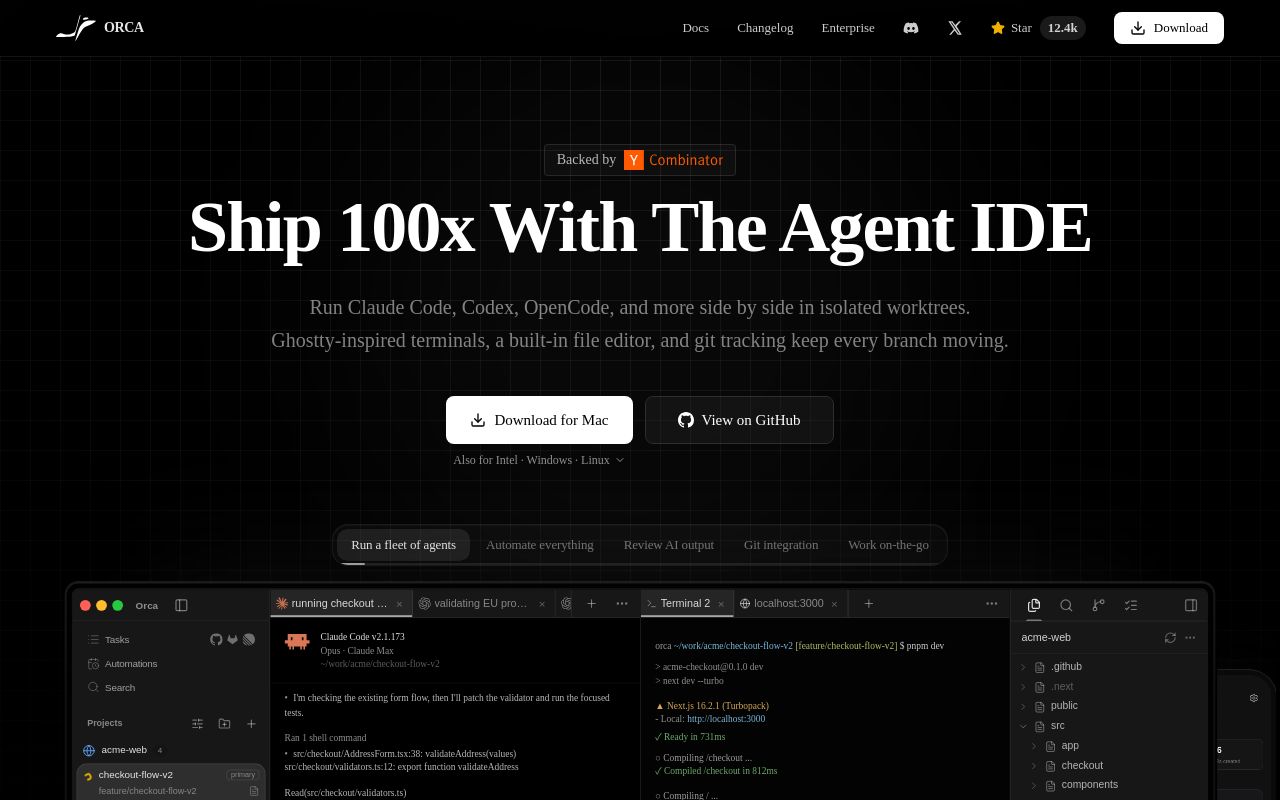
[Orca](https://www.onorca.dev/) is a desktop Agent Development Environment (ADE) built for the AI era. It is developed by Lovecast Inc., a San Francisco startup backed by Y Combinator, and released as open source under the MIT license. Orca's core idea is to shift the design center of the traditional IDE from "a single human developer" to "a human plus a fleet of AI agents." Users can run more than 25 AI coding agents at the same time, including [[Claude Code]], [[Codex]], Gemini, GitHub Copilot and OpenCode. Each task gets its own isolated [[Git Worktree]], which makes truly parallel development possible. Orca itself does not provide any AI models; users bring their own subscriptions (Bring Your Own Subscription) to connect the AI services they already use.
Alternatives
Tech stack
No tech stack added yet. Sign in to suggest some
Note: When this entry was written, the official website https://www.onorca.dev/ could not be fetched. The content below is compiled from existing knowledge and only describes the general positioning, leaving out any details that are uncertain. For specifics such as how to download it, supported platforms, pricing and license, please refer to the official website.
Introduction
Orca appears to be an AI coding assistance tool for software developers, used mainly to run and manage multiple AI coding agents at the same time. It can assign different development tasks to different agents to be handled in parallel, and developers can check progress and review results in a single interface, then decide whether to merge the changes.
Main Features
- Running agents in parallel: You can start multiple AI coding sessions at once, with each session handling one task.
- Isolated workspaces for each task: It generally relies on Git branches or worktrees so that the code changes of each task don't interfere with one another.
- Unified management interface: You can see the status and output of each agent in one place, without switching back and forth between multiple terminal windows.
- Reviewing changes: Before merging, you can inspect the code changes generated by each task.
Target Users and Use Cases
- Individual developers who already use AI coding agents and want to move several tasks forward at once to work more efficiently.
- Development teams that want to split up work such as bug fixes, new features and refactoring, and handle it in parallel.
- Developers who want to compare the results of different agents or different approaches.
Key Advantages
- It turns "working with only one agent at a time" into "working with multiple agents at the same time," reducing waiting time.
- Each task's workspace is isolated from the others, which reduces code conflicts and makes rollback and review easier.
Technical Requirements
- You need to know basic Git operations.
- You generally need to prepare your own accounts or API access for the AI coding agents you use.
- For which operating systems are supported and how to install it, please see the official website.
Worth Noting
There are many pieces of software and projects named Orca, such as an accessibility screen reader and data visualization tools of the same name. This entry refers to the product whose official website is onorca.dev, so please be careful to tell them apart when looking up information.
Discover more
Tantivy
`tantivy` is a **full-text search engine library written in Rust**. You can think of it as "Lucene for Rust." In short: - It's used for **full-text search** (keyword search, relevance scoring and ranking, inverted indexes) - It is not a complete search service (it isn't an out-of-the-box server like Elasticsearch), but an **embeddable library** - It's a good fit for building search into your own application, with strong performance and controllable resource usage Common use cases: - Document search - Log search - Site search - Systems that need a high-performance local index Relationship with Quickwit: - Quickwit (a log search engine) uses Tantivy under the hood as one of its core indexing components.
clipse
A clipboard manager with a terminal user interface (TUI)
ish
iSH is a Linux shell environment that runs directly on iOS devices, enabling users to execute Linux commands and applications on their iPhones and iPads without jailbreaking.
Whispering
Whispering is a transcription service within the Epicenter project, converting audio to text.

Codex
A software development tool from OpenAI.
HAJIMI Gemini API Proxy
HAJIMI Gemini API Proxy is a lightweight proxy server that makes it easier and more flexible to access the Google Gemini API, with features such as authentication and rate limiting.