Pinky
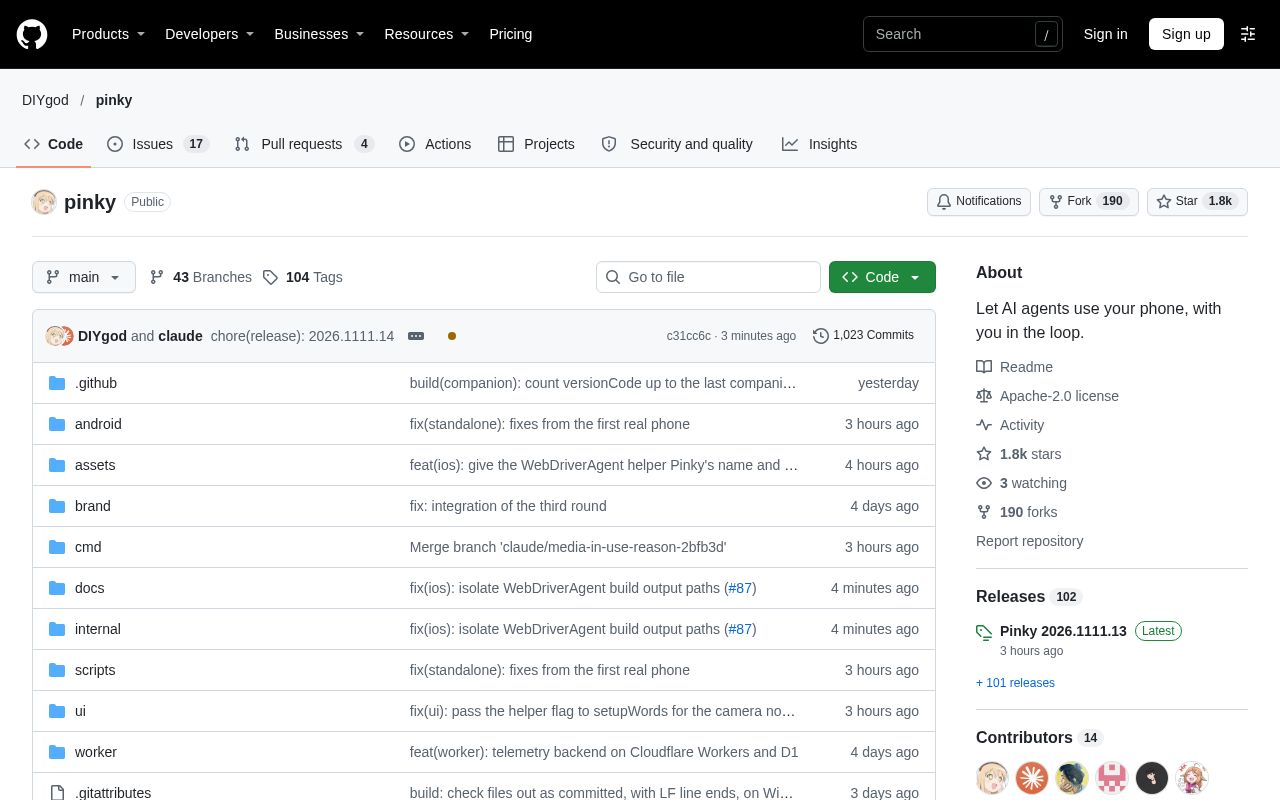
Pinky is a desktop app that lets AI agents such as Claude Code, Codex and Cursor operate a real iPhone or Android phone through MCP. You can watch live on your computer, approve high-risk actions, take over at any time and review the record of every run.
Alternatives
Tech stack
No tech stack added yet. Sign in to suggest some
Pinky aims to let any MCP-capable AI agent operate your real phone while keeping you in the decision loop. It runs on macOS, Windows and Linux, and can drive phones running Android 10 to 17 as well as iPhones running iOS 17.4 or later. The project is currently in pre-alpha, and some features are still waiting for more testing on real devices.
Key Features
- Cross-platform desktop app: Available for macOS (Apple silicon and Intel), Windows and Linux. The window is rendered natively with MyGo and does not rely on Electron or a webview. The official figures are an installer of 14–18 MB and about 70 MB of memory when idle.
- Action approval: By default, payments, trades and transfers require you to click to confirm in Pinky. Under "Settings › Security", you can also require confirmation for sending messages, placing orders, deleting, making phone calls, installing apps, links that leave the app and settings changes, or confirm every single step. Approval rules are enforced by Pinky's gateway, so the agent cannot approve anything on its own, even if text on the screen tries to talk it into doing so.
- Privacy and security boundaries: Banking, wallet and password manager apps are hidden from the agent by default, and the agent cannot type into password or verification code fields. If a task genuinely needs it, you can allow a specific app for that task only. Every newly connected agent must be approved by you and only receives the permissions you grant.
- Take over at any time: Click the mirrored screen on your computer to take control of the phone; on Android, simply touching the phone also pauses the agent. The global shortcut ⌥⌘. stops all tasks at any moment.
- Background operation: On Android 13 and later, the agent works on a hidden second display, so the phone can stay with its screen off and locked.
- Unlock from your computer: You can unlock the phone from your computer using methods such as Touch ID. The PIN is stored in the system keychain and is never visible to the agent.
- Run records: Every step comes with a plain-language description, a screenshot and a screen recording with step markers. Records can be exported as an HTML report, and all data is stored on your own machine.
Target Users and Use Cases
It is suited to users and developers who want an AI agent to handle tasks on their phone without handing over complete control. For example, you can have an agent open a messaging app and reply to messages, or test and operate apps on the phone, while you keep control of the key steps yourself.
Supported Agents
Any MCP-capable agent can connect, for example Claude Code, Claude Desktop, Codex and Cursor. In "Settings › Agents", click Connect, and Pinky can automatically detect and configure Claude Code, Claude Desktop, Codex, Cursor, VS Code, Copilot CLI, Windsurf and Gemini CLI, and install the agent usage guide SKILL.md. Other agents can add an stdio-type MCP server manually with the command pinkyctl mcp, or connect over HTTP.
Installation and Deployment
- Download and install from GitHub Releases. For macOS, a dmg is provided, or you can install with
brew install --cask diygod/tap/pinky; for Windows, an installer and a portable zip are provided; for Debian/Ubuntu, a deb package is provided, and other Linux systems use the tar.gz. - Open Pinky and choose Add phone to connect your phone.
- Android: Turn on USB debugging and connect with a cable. On Android 11 and later you can also pair over Wi-Fi. Pinky bundles adb and can install a companion app, Pinky Companion, on the phone to speed up screen reading and support input in any language.
- iPhone: Connect with a cable, trust the computer and turn on Developer Mode, and Pinky will mount Apple's developer disk image. On iOS 27 and later, nothing needs to be installed on the phone; on iOS 17.4 to 26, you need to install the WebDriverAgent helper app once using Xcode.
- In Settings, connect Pinky to your agent, then ask it to carry out tasks on the phone.
If you don't have a phone handy, you can start a demo mode with two simulated phones using the --fake flag.
Technical Requirements
- macOS 12 or later, Windows 10/11 64-bit, or Linux x86-64 (Ubuntu 20.04 / Debian 11 or newer, GTK 3 required).
- Android 10–17 with a USB cable, or iOS 17.4 or later with a USB cable.
- The project is written in Go, and building from source requires Go 1.27.3 or later.
Notable Points
- Licensed under Apache-2.0, free and open source, with no account registration required.
- Anonymous usage statistics and crash reports are sent by default; you can turn them off in "Settings › Privacy" or with the environment variable
DO_NOT_TRACK=1. Screen content, typed text, app names and PINs are not uploaded. - iPhone support is still being validated: real devices running iOS 17.4 to 26, and iPhones on Windows and Linux, have not yet been tested in practice.
- Includes automatic updates, with release notes provided for each version.
Discover more
Cindy
Cindy is an open-source AI agent app that connects your computer and phone, so you can use agent frameworks such as Claude Code, Codex and Pi, along with a wide range of models, all in one place. It supports cross-device access to tasks, files and models, as well as remote desktop takeover, with no need to set up your own server.
Claude Duet
Claude Duet is a proactive AI agent app from Anthropic. Each day it summarizes what matters across your connected apps, and it handles tasks for you in the background, asking for your confirmation before taking any key action.
GitHub Copilot CLI
GitHub Copilot CLI is GitHub's AI coding agent for the terminal. It can read, write, and run code from the command line. It connects directly to GitHub issues and pull requests, and can take you all the way from planning to merging your code.

LLMKube
Kubernetes operator for self-hosted LLM inference across a heterogeneous GPU fleet: NVIDIA CUDA, AMD Vulkan, and Apple Silicon Metal. Runtimes: llama.cpp, vLLM, TGI, mlx-server. Multi-GPU sharding, model caching, OpenAI-compatible endpoints. Apache-2.0, run across homelab and on-prem fleets, actively developed.
PowerContext
PowerContext is OceanBase's open-source context service for AI agents. It keeps long-lived information such as decisions, constraints, evidence, and progress outside any single conversation. The next session, the next agent, or the next person can pick up from the current state without rereading chat history.

Aider
aider is AI pair programming in your terminal