
Linear
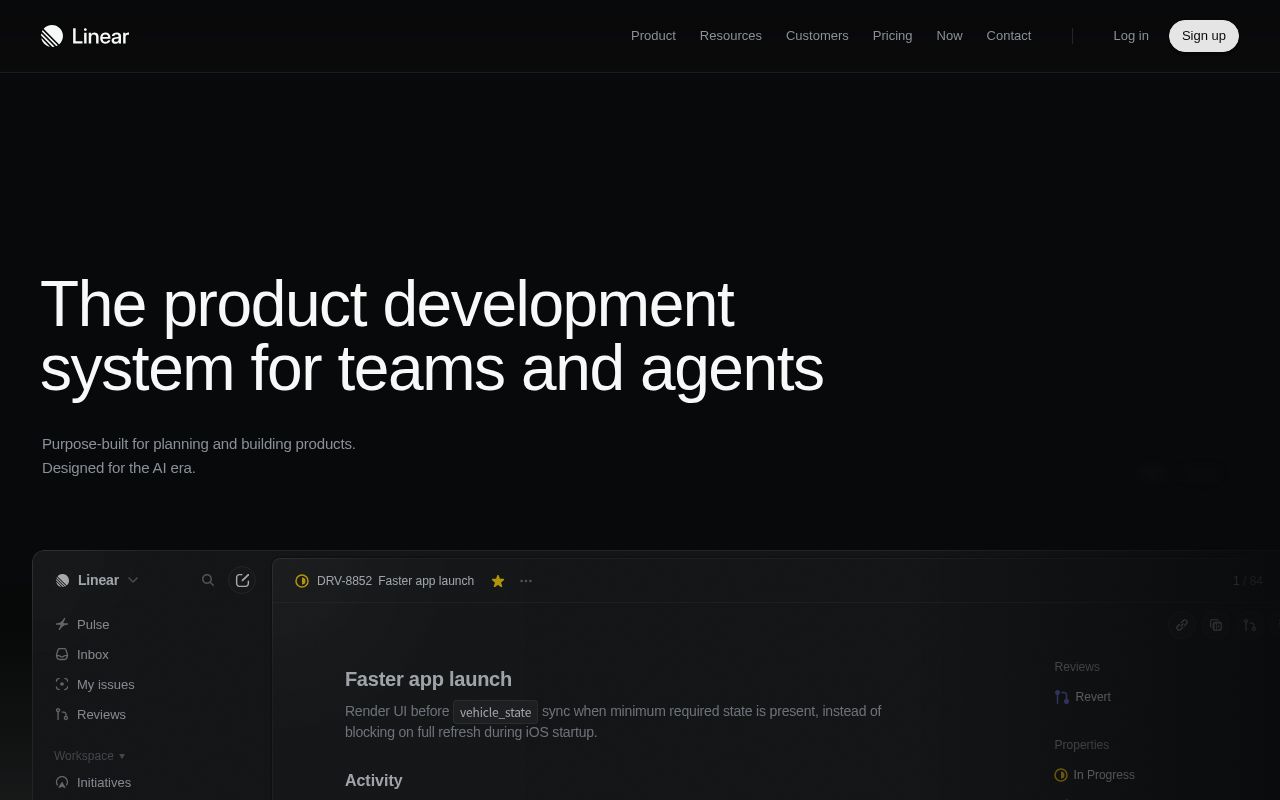
Linear is a product development system for product teams that brings issue tracking, project planning, roadmaps and code review together in a single tool. It also supports collaboration between humans and AI agents, covering the entire process from intake to release.
Alternatives
Tech stack
No tech stack added yet. Sign in to suggest some
Linear is a cloud-based SaaS product development tool that its website positions as "the product development system for teams and agents." It is built for modern product and engineering teams and covers the process from intake, planning, development and review through to release, treating AI agents as collaborators alongside humans. The website says more than 40,000 product teams currently use it.
Key features
- Intake and integrations (Intake): Automatically turns conversations and customer feedback into issues, then routes them to teams, labels them and sets priorities. Related features include Triage, Customer Requests and Linear Asks. In the examples on the website, issues can be created from Slack.
- Planning and monitoring: Provides Projects, Initiatives, Documents (such as PRDs), visual planning (timelines/roadmaps), Pulse and Insights, helping teams move from idea to launch while keeping goals aligned.
- AI and automation: Includes Linear Agent, Linear MCP, Coding Sessions and Loops.
- Linear Agent can help with complex tasks or take over an entire issue end to end.
- Coding Sessions let Linear Agent write and test code in a cloud environment, then submit a PR for human review.
- Loops are agent workflows that run repeatedly and respond to changes in Linear and connected tools. The changelog mentions that they can be triggered from Slack and GitHub, and can also be shared as templates.
- The website also shows scenarios where third-party agents are connected, such as Cursor and ChatPRD.
- Build, review and release: Includes Issues, Cycles, Git automation, Guided reviews, Diffs and Releases. The changelog mentions that Linear Diffs now supports stacked pull requests.
- Multi-platform use: Offers a web app, along with a download page and mobile apps.
- Open interfaces and security: Provides a developer API/documentation and a variety of integrations, and the website also has pages covering security and enterprise plans.
Target users and use cases
Suited to software and product teams that want to ship faster and cut process noise, from startups to large enterprises. Customers shown on the website include OpenAI, Ramp and Opendoor. It works well as a replacement for Jira, traditional kanban boards, or scattered spreadsheets and documents, bringing requirements, iterations and releases into one place.
Core strengths
- Clear product philosophy: The website says it is built on the practices and principles of high-performing product teams, with an emphasis on speed and focus.
- Human-AI collaboration: Agents can be assigned tasks, draft PRDs, break work into sub-issues, and even push code PRs.
- All-in-one: Everything from the intake point to code review and release is handled in one system.
Usage and deployment
Linear is a hosted cloud service. Once you sign up, you can use it right in the browser (the login/sign-up entry points are on the website), and a download page is also available. The website also has a "Switch" page for migrating from other tools; check the website for the exact scope of support.
Things to note
- Linear is a closed-source commercial product and cannot be self-hosted.
- For specific plans, pricing and the availability of AI features, refer to the pricing page on the website (linear.app/pricing).
- Details of some AI and automation features may change as new versions are released.
Discover more
ClickUp
ClickUp is a collaboration platform that brings project management, docs, chat, whiteboards, time tracking and an AI assistant (Brain) together in a single workspace, with the goal of replacing a scattered set of tools. Its website says it offers a free-forever plan and supports AI Agents that handle tasks automatically.
Backlog
Backlog is a project management and bug tracking tool that helps teams collaborate, plan, and deliver projects.
Microsoft To Do
Microsoft To Do is Microsoft's to-do and task management app. It lets you organize everyday tasks with lists, steps, reminders, and due dates. It integrates with Microsoft services such as your Microsoft account and Outlook, and syncs across devices.
Notion
All-in-one workspace that combines notes, docs, wikis, databases and project tracking in block-based pages.
TickTick
TickTick is an all-in-one productivity app that brings together to-do lists, multiple calendar views, a Pomodoro timer, habit tracking, and countdowns, with real-time sync across phones, computers, tablets, and watches.
Apple Reminders
Apple Reminders is the to-do and reminder app built into Apple devices, which you can use to keep track of things to do, buy, and watch. It supports lists, subtasks, tags, smart lists, sharing, and grocery lists.