Ovis
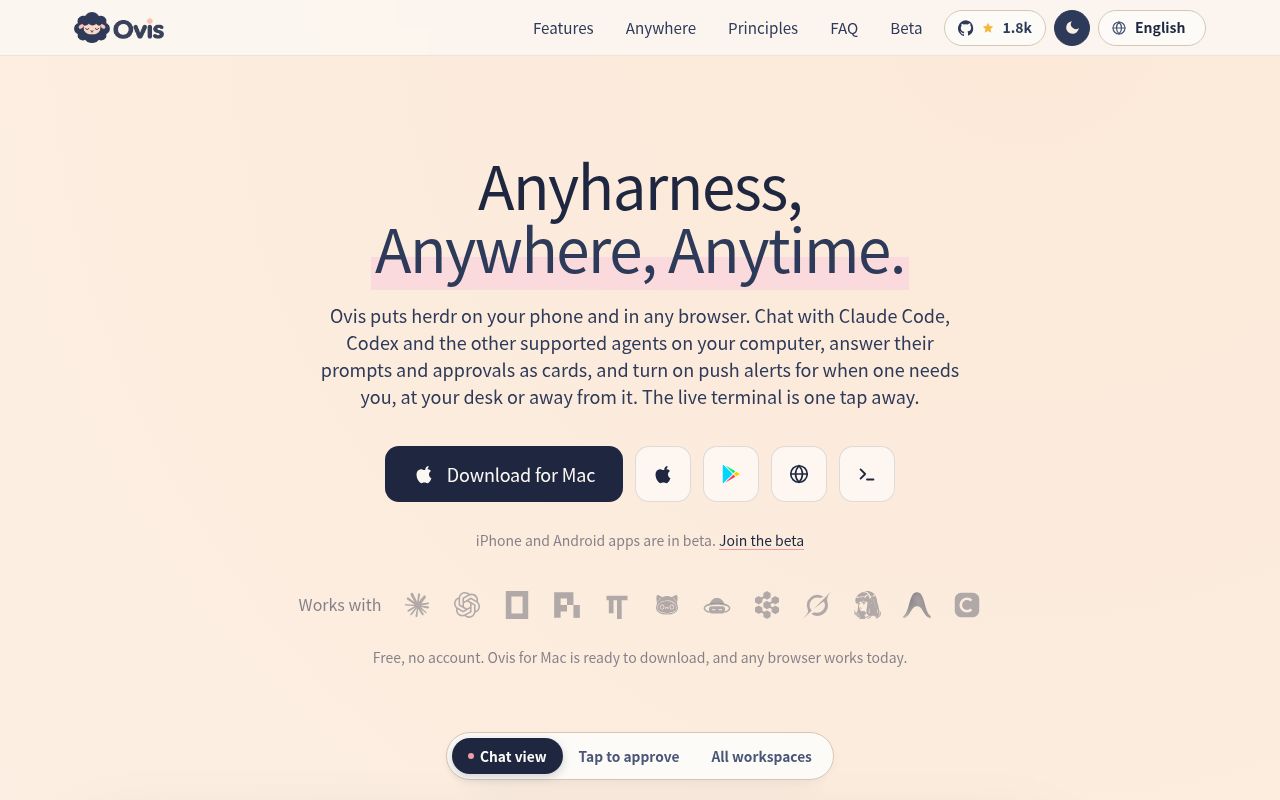
Ovis is the free, open-source client for herdr (formerly the herdr web UI). From your phone, a desktop app, or any browser, you can view and reply to coding agents such as Claude Code and Codex, either as a chat or in a live terminal.
Alternatives
Tech stack
No tech stack added yet. Sign in to suggest some
Ovis is a client for herdr. herdr orchestrates the coding agents running on your computer, and Ovis lets you check in on those agents and answer their questions even when you're away from your desk. The name Ovis means "sheep" in Latin: herdr herds the agents, and Ovis keeps an eye on the flock.
Key features
- Chat view: Shows the output of agents such as Claude Code and Codex as a clean conversation, so you don't have to read through a wall of terminal text.
- Tap to approve: Permission requests and questions appear as cards. You can tap an answer directly or type the matching number.
- Live terminal: Switch to the agent's real terminal with one tap at any time. On phones, a key bar provides Esc, Tab, Ctrl and more.
- Plan view: Shows the agent's plan, the steps it has completed, and the work in progress.
- Workspace overview: Lists all your projects and agents together, and flags the ones that need your attention.
- Multiple computers: Add several computers and switch between the agents on each machine in a single list.
Supported agents
The website lists Claude Code, Codex, OpenCode, pi, Oh My Pi, OmO, Gajae Code, Devin, Grok, Hermes, Antigravity, Command Code and others. You need to bring your own subscriptions for these agents.
Who it's for and use cases
It's a good fit for developers who already use herdr to orchestrate multiple coding agents. You can start a task at your desk, then later confirm permissions from your phone on the couch, or check progress from a laptop.
Core strengths
- Privacy and direct connection: No account required. Ovis connects directly to the computers you add, with no Ovis relay server in between, so your code stays on your own computer.
- Free and tracking-free: The app is free, with no ads, no analytics and no tracking.
- Open source: The app and the server that runs on your computer are both open source under the MIT license, with the code on GitHub (devswha/ovis).
- Built-in demo: The connection screen includes a demo with fictional agents, so you can try it out even without a computer set up.
Installation and deployment
- Install the Ovis server on your computer. On Linux and macOS, run
curl -fsSL https://ovis.sh/install.sh | sh. On Windows, runirm https://ovis.sh/install.ps1 | iexin PowerShell. - If you use a Mac, you can also download Ovis for Mac directly, which sets everything up in one click with no terminal needed.
- Open Ovis in any browser, or connect from the phone app by scanning the QR code under "Settings → Phone & devices".
Remote access and technical requirements
- You need to have herdr installed and in use, and the Ovis server running on your computer.
- When you're out and about, Ovis reaches your computer through your own network, such as Tailscale, a VPN, your home Wi-Fi, or a self-hosted HTTPS proxy.
- A Mac desktop app and browser access are currently available. The iPhone (TestFlight) and Android (Google Play) apps are in public beta, and you can join at ovis.sh/beta.
- The website offers interfaces in English, Simplified Chinese, Japanese and Korean.
Discover more
Cindy
Cindy is an open-source AI agent app that connects your computer and phone, so you can use agent frameworks such as Claude Code, Codex and Pi, along with a wide range of models, all in one place. It supports cross-device access to tasks, files and models, as well as remote desktop takeover, with no need to set up your own server.
cc-switch
CC Switch is a free, open-source desktop app for managing multiple AI coding tools, including Claude Code, Codex, and Gemini CLI, in one place. It offers provider configuration switching, local routing, MCP, Skills, session management, and usage statistics.
Executor
Executor connects the accounts and tools you use to the AI agents you already work with, through a single MCP server. Your agents can also build custom tools, automations, storage and interfaces on top of those connections.
Logo Creator
An open-source, AI-powered logo generator built on Flux Pro 1.1 and Together AI, with customizable styles and fast generation of professional logos
PowerContext
PowerContext is OceanBase's open-source context service for AI agents. It keeps long-lived information such as decisions, constraints, evidence, and progress outside any single conversation. The next session, the next agent, or the next person can pick up from the current state without rereading chat history.

daytona
Daytona is a Secure and Elastic Infrastructure for Running AI-Generated Code