Nowledge Mem
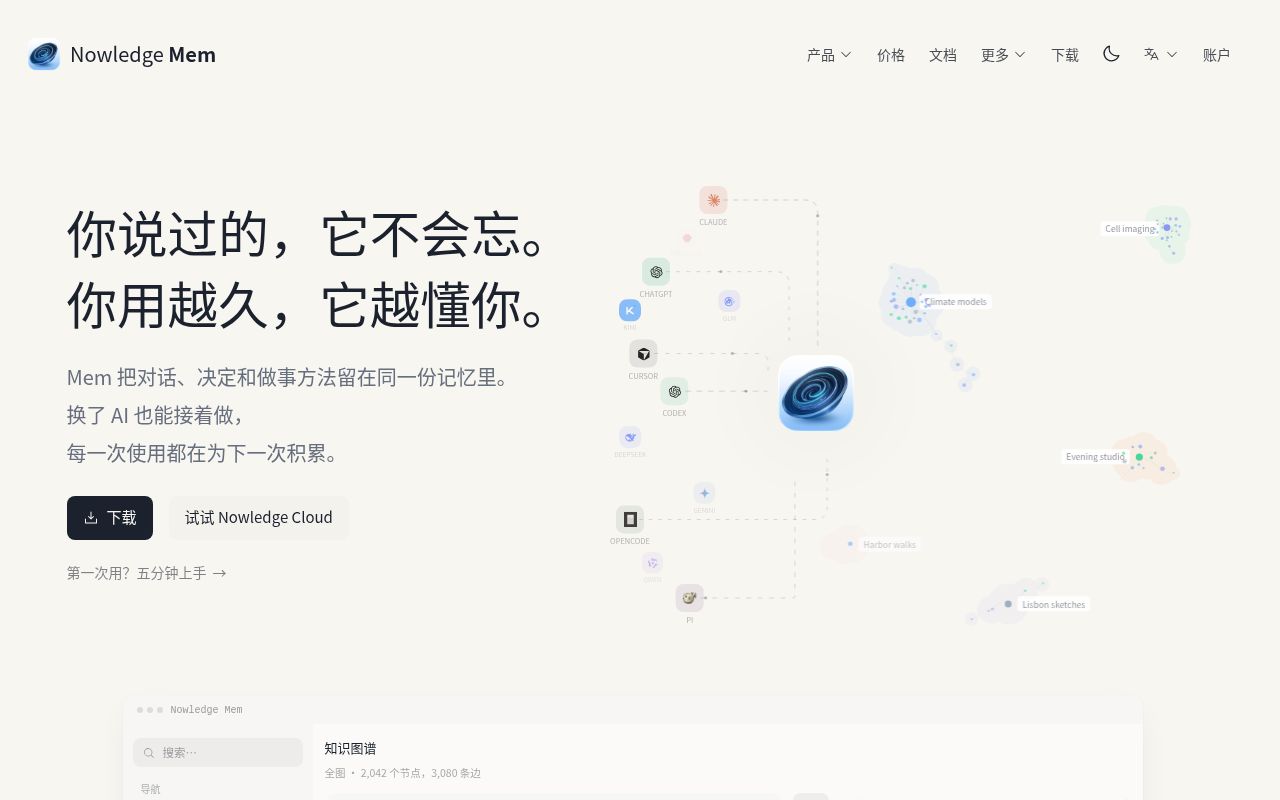
Nowledge Mem is a local-first AI memory management tool. It turns your conversations, decisions and ways of working into a single knowledge-graph-based memory that tools like Claude, ChatGPT and Cursor can share, so you can switch tools and pick up where you left off.
Alternatives
Tech stack
No tech stack added yet. Sign in to suggest some
Nowledge Mem is developed by Nowledge Labs, with the goal of making AI remember your world. It keeps your conversations with various AI tools, the decisions you make and the working methods you build up in a single graph-powered memory. Tools such as Claude, ChatGPT and Cursor all share this memory. The official site puts it this way: "What you've said, it won't forget. The longer you use it, the better it understands you."
Key Features
- Conversation saving: After a chat in Claude Code, Cursor or a web conversation, you can save it with one click. The full conversation is kept as is, and the decisions and reasoning in it are distilled into individual searchable memories.
- Background intelligence: In the background, it automatically links related memories, merges new evidence into existing conclusions, and retires older statements that have been superseded. Every memory has a complete version history, so you can see when it changed and why. The official site also mentions memory health checks, which point out memories worth tidying up and don't change anything until you confirm.
- Unified search: A single search box lets you search across saved memories, conversations and documents. Your agents can run the same searches through MCP, retrieving what they need for the task. The official site also shows plugins and a command line (such as
nmem search) as ways to connect. - Skill learning: After you've solved the same kind of problem a few times, Mem drafts a skill based on the evidence from your sessions. The skill is first validated against real use cases and then keeps improving. A new version replaces the current one only if it outperforms it on use cases it hasn't seen before.
- Knowledge graph (Graph Intelligence): You can browse nodes, communities and shortest paths. You can ask questions of the graph, and answers come with three layers of backing: memories, conversations and source documents.
- Library and timeline: The library is a wiki generated in real time from the material you've saved. The timeline shows your recent saves, discoveries and working memory in chronological order.
Local and Cloud
- Local app: Your data is stored on your own computer, and the app works fully offline. It's free to download, and you can get started with your own AI key. Upgrading to Plus gives you managed AI and an always-on cloud workspace.
- Nowledge Cloud (public beta): The same product running on servers operated by the official team, so you get the full Mem in your browser. Background intelligence keeps working even after you close your laptop, and shared team workspaces are supported. The official site says migrating between local and cloud takes one click.
- Nowledge Mem Team (private beta): Shared memory for organizations, with attribution and traceability, and an audit record for every step. You need to apply to join the private beta.
Who It's For
It suits developers and knowledge workers who use several AI coding or chat tools at once and want them to share context. It's also a good fit for individuals and teams who want to preserve decision rationale, research material and project experience over the long term and be able to search and trace back through it later.
How to Get It
Download the desktop app from the official site to start using it, or try Nowledge Cloud directly. Users who already have AI tools can connect through the SKILL.md link provided on the official site, and the official docs include a five-minute quick-start guide. Using managed AI and the cloud workspace requires upgrading to a paid plan such as Plus; see the official site for specific pricing. The official site has a Mem Vault license page, and there is a community repository on GitHub.
Discover more
Cindy
Cindy is an open-source AI agent app that connects your computer and phone, so you can use agent frameworks such as Claude Code, Codex and Pi, along with a wide range of models, all in one place. It supports cross-device access to tasks, files and models, as well as remote desktop takeover, with no need to set up your own server.
PowerContext
PowerContext is OceanBase's open-source context service for AI agents. It keeps long-lived information such as decisions, constraints, evidence, and progress outside any single conversation. The next session, the next agent, or the next person can pick up from the current state without rereading chat history.
cc-switch
CC Switch is a free, open-source desktop app for managing multiple AI coding tools, including Claude Code, Codex, and Gemini CLI, in one place. It offers provider configuration switching, local routing, MCP, Skills, session management, and usage statistics.
Executor
Executor connects the accounts and tools you use to the AI agents you already work with, through a single MCP server. Your agents can also build custom tools, automations, storage and interfaces on top of those connections.
GitHub Copilot CLI
GitHub Copilot CLI is GitHub's AI coding agent for the terminal. It can read, write, and run code from the command line. It connects directly to GitHub issues and pull requests, and can take you all the way from planning to merging your code.
Ovis
Ovis is the free, open-source client for herdr (formerly the herdr web UI). From your phone, a desktop app, or any browser, you can view and reply to coding agents such as Claude Code and Codex, either as a chat or in a live terminal.