
Zephium
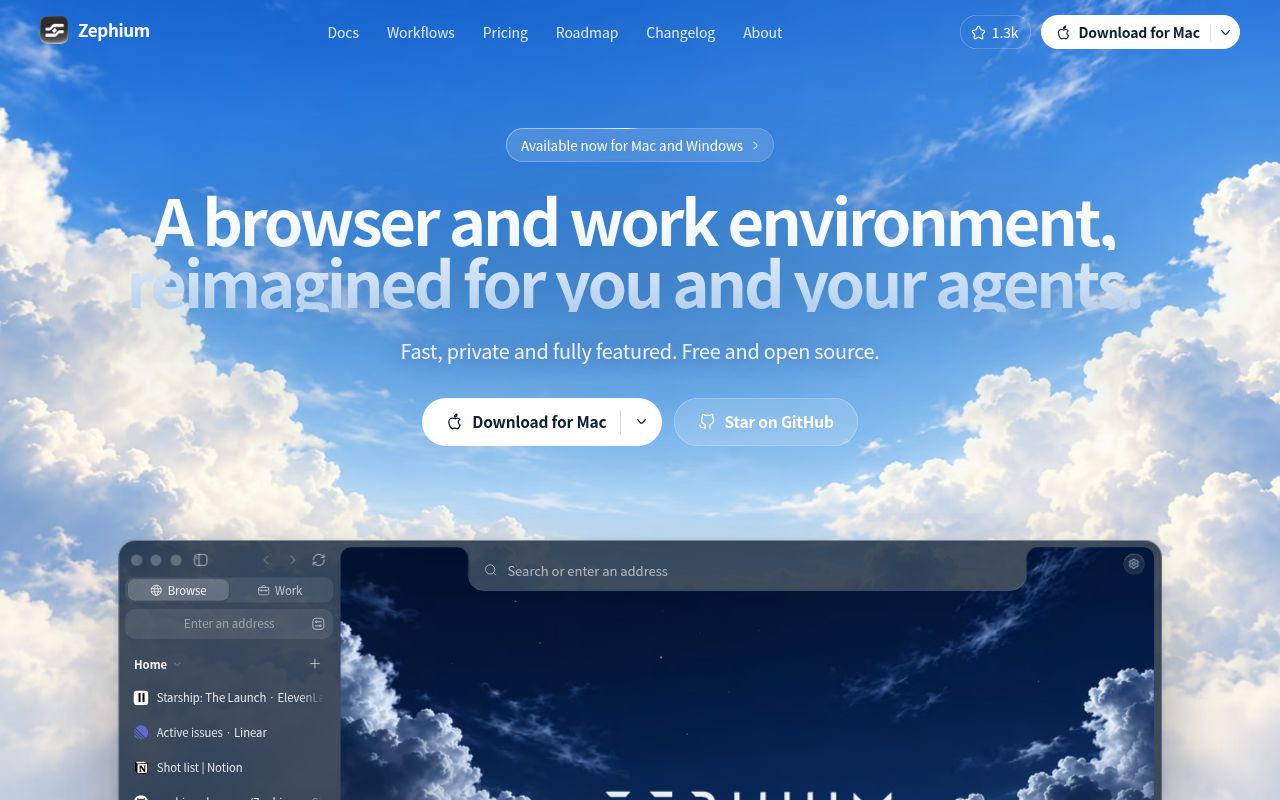
Zephium is an open-source desktop browser written in Rust, with native ad and tracker blocking built in. It also includes a canvas-style workspace called Work, where you can browse the web with AI agents, compare information, make plans, and keep the results.
Alternatives
Tech stack
No tech stack added yet. Sign in to suggest some
Zephium is not a fork of Chromium or Firefox. Its core is built in-house in Rust, and page rendering is handed off to the engine that comes with the system: WKWebView on macOS and WebView2 on Windows. This means there is no separate browser engine to download. The developers say the installer is about 40 MB, and that the browser starts quickly and uses relatively little memory.
Main features
- Native ad and tracker blocking: Ads and trackers are blocked at the network layer, so they are stopped before the page loads.
- Chrome extension compatibility: You can install popular extensions such as 1Password, Bitwarden, Grammarly, Dark Reader, and SponsorBlock from the Chrome Web Store. The developers note that a small number of extensions use features that are not yet supported.
- Global launcher: One keyboard shortcut brings up tabs, tasks, notes, history, and downloads.
- Work canvas: Describe your goal in natural language, and the agent opens real web pages and organizes the results into tables, charts, comparisons, and plans, which stay on the canvas. You can watch the agent browse each page on the canvas, and you can stop a run at any time.
- Parallel helpers: The main agent breaks your goal into parts and lets several helpers work on them separately. It can also read and write local folders you have authorized.
- External tool integration: Supports MCP servers and command-line tools, such as GitHub and Slack.
- Sidebar productivity tools: Includes built-in tasks (with natural-language input), Markdown notes, and per-site time tracking and focus mode.
- AI is optional: You can use Zephium's own AI, enter your own OpenAI, Anthropic, or Gemini keys, or connect local models such as Ollama and LM Studio. You can also turn AI off completely, and it then works as a full, ordinary browser.
Who it's for and use cases
- Users who want a privacy-focused, lightweight browser and also need AI assistance with research.
- Knowledge workers and developers who need to compare multiple products or options, plan trips, organize research findings, and turn them into tasks.
- Users who want to use their own API keys or local models and not depend on a single AI provider.
Privacy and security
- The developers say there is no telemetry, and browsing data is stored on your local device.
- No account is needed to browse, and the browser does not connect to the official servers until you sign in.
- The agent asks before modifying any files, and you decide which folders it can access.
- While the agent is working, the canvas shows which pages and notes are being sent to the model you selected.
Installation and requirements
- Currently supports macOS (Apple silicon, .dmg) and Windows 10 and later (.exe). You can download them from the official website or GitHub Releases.
- Versions for Intel Macs and Linux are planned next, followed by iOS and Android. For now, for Linux you can only register your email on the official website to be notified when it is released.
License and pricing
- The browser and website use the MPL-2.0 license, and the backend uses AGPL-3.0-only.
- The browser itself is free. Zephium AI includes 250 free credits, and the Pro and Max plans add 2,000 and 10,000 credits per month, respectively.
- If you use your own keys or local models, you only pay the model provider, or nothing at all.
Discover more
Tabbit Browser
Tabbit is an AI-native agentic browser that understands context such as tabs, files, and screenshots. It lets you chat with web pages, use Agents to automate tasks, and create custom Skills. The browser itself is free and is available for macOS and Windows.
oxitraffic
Self-hosted, simple and privacy respecting website traffic tracker
Aside
Aside is a browser redesigned for both people and AI agents. It works directly with the websites and accounts you're already logged into, handling complex browser tasks for you such as messaging, payments, and internal tool operations.
BrowserOS neo
BrowserOS neo (formerly BrowserClaw) is an open-source browser that runs locally and is built for AI agents such as Claude Code, Cowork, Codex and Cursor to drive over MCP, using the accounts you're already logged in to. You can watch every step the agent takes in real time and replay the whole session afterward.
EchoPaste
EcoPaste is a local-first desktop clipboard manager for macOS and Windows. It records many types of clipboard history and supports search, categorization, and backup.
Ego lite Browser
ego lite is a browser shared by users and AI agents. Agents such as Claude Code and Codex run web automation tasks in separate Spaces, so they never take over your own tabs, and they can reuse the logged-in state of your browser.